
engineering
Don't Replace Doxygen
Give C++ documentation a better-looking home without replacing Doxygen. Use its XML output, keep the comments, and check the symbols and links that matter.
If a C++ project already uses Doxygen, replacing its parser is a large job. Changing the HTML that readers see is a smaller one.
Doxygen can generate XML as well as its own pages. That XML contains the declarations and comments the parser extracted from the code. A renderer can read it without asking the team to rewrite the comments or maintain a second API reference.
Wanting the docs to look better is a perfectly good reason to do this. A library can have years of careful engineering behind it and still make a new reader work far too hard to find a class, follow an example, or understand the hierarchy. The presentation deserves some of the same care as the code.
Use the existing seam
In a Doxyfile, enable XML output:
GENERATE_XML = YESDoxygen documents the setting. The next step is to check a real project: are the symbols you care about present, are comments attached to the right declarations, and do links between types survive? The XML is a useful handoff, but it cannot restore information the source comments never supplied.
Moxygen converts Doxygen XML to Markdown when that is the output a project needs. Sourcey can read the XML as a documentation source and render it beside hand-written guides. Neither route requires a new C++ parser.
The choice depends on what you want to maintain. Markdown is useful if another publishing system needs Markdown. Direct XML ingestion avoids that intermediate set of generated pages when Sourcey is doing the rendering. In either case, fix missing declarations or comments in Doxygen’s input and configuration first.
Check the parser before blaming the page
If a class is absent from the XML, a different theme cannot bring it back. Check the input directories, exclusion rules, and preprocessing settings. Doxygen’s preprocessing documentation covers macro expansion and predefined symbols, which matter in codebases where declarations sit behind platform macros or export annotations.
Then choose a small, awkward part of the API to compare: an overloaded method, a template, an inherited member, and a comment linking to another type. Those reveal more than an empty class with a nice name. Follow the links and compare the signatures with the existing output.
Missing and undocumented are different problems
EXTRACT_ALL = YES can make an undocumented declaration appear, but it does not explain what that declaration does. It also disables warnings about undocumented members. Treat it as a deliberate publishing choice, rather than a switch to make a warning count disappear.1
For a public library, start with the installed headers and the symbols users can actually call. A contributor manual may need implementation details as well. Both are useful; mixing them without explanation makes a private helper look like a supported API.
Macros deserve the same care. Suppose an export annotation sits between class and its name. If Doxygen misreads it, configure that annotation through PREDEFINED and the relevant preprocessing settings. Do not paste a corrected signature into a hand-written page. The next build will still contain the wrong declaration, and every tool consuming the XML will inherit it.
For overloaded methods, inspect the parameter types and qualifiers as well as the name. send(Buffer&) and send(const Buffer&) can have different effects. A link that reaches the right class but the wrong overload is still a broken explanation.
Icey’s build
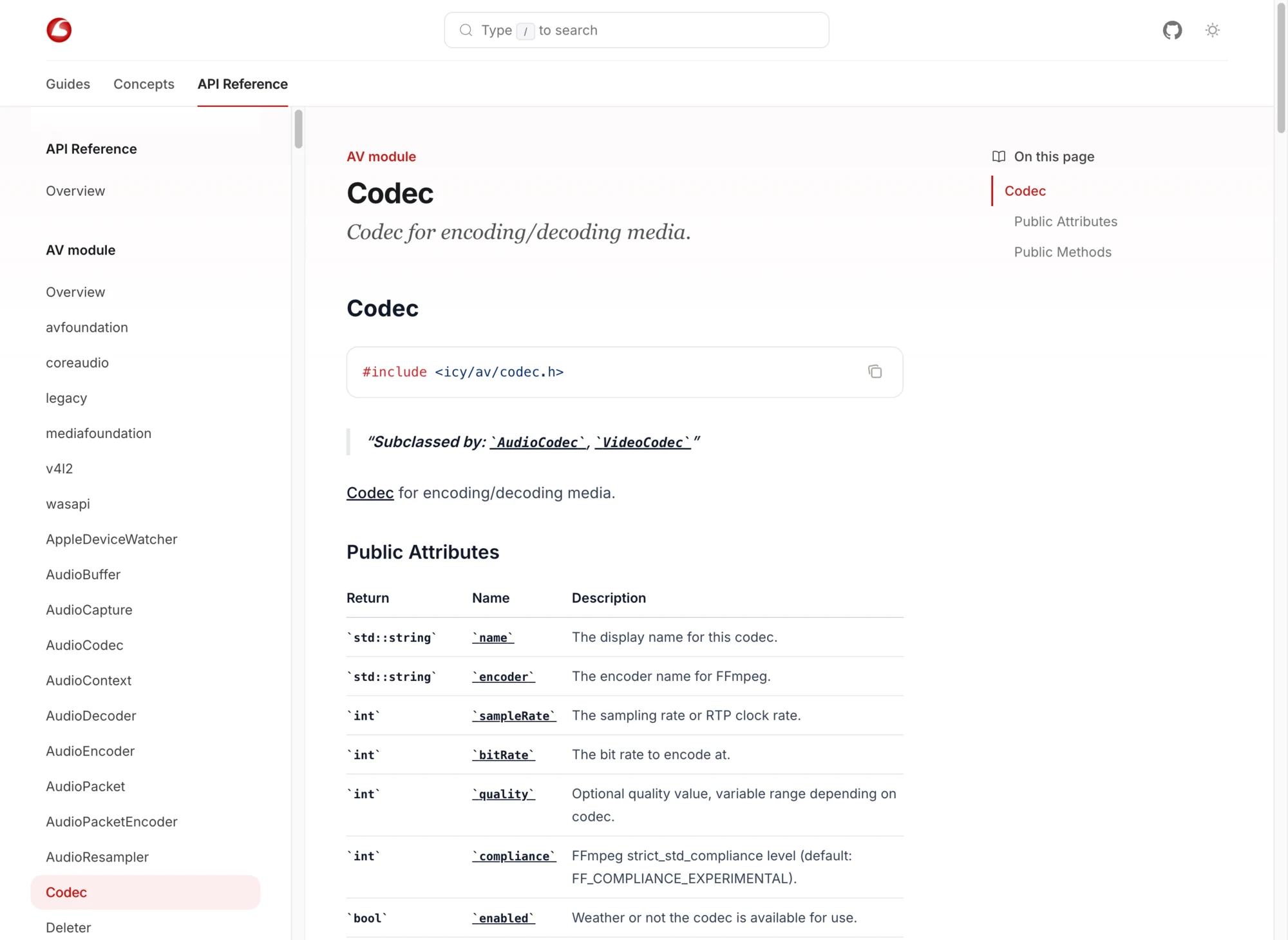
Icey keeps its Doxyfile and enables XML output. Its Sourcey configuration points the Doxygen source at ../build/doxygen/xml. The project keeps the API material in code comments and can put the rendered reference beside its guides. The WebRTC walkthrough uses that library to stream a camera to a browser in 150 lines of C++.
For a project whose XML is under build/doxygen/xml, the Sourcey side can be this small:
import { defineConfig, doxygen } from "sourcey";

export default defineConfig({
  name: "My C++ library",
  navigation: {
    tabs: [{
      tab: "C++ API",
      slug: "cpp",
      source: doxygen({ xml: "./build/doxygen/xml" }),
    }],
  },
});
The path is relative to the Sourcey configuration. Doxygen still has to run first. Keep that extraction step in the docs build so a clean checkout does not quietly depend on yesterday’s XML sitting on someone’s laptop.
How much do you actually need to change?
If the current pages work and you mostly want a visual refresh, try Doxygen Awesome before changing the renderer. It styles Doxygen’s own HTML. If the project already uses Sphinx for a larger manual, Breathe brings Doxygen XML into that system.
Sourcey makes sense when you want the reference and guides to share a designed site, navigation, and search. Icey’s screenshot shows the result; the XML path explains how it gets there.
Before switching the public site, keep a list of frequently linked class and member URLs. A new renderer can assign different anchors. Check those old links and plan redirects where the host can provide them; changing the page layout should not strand every answer your users have bookmarked.