
engineering
pkg.go.dev Isn't Your Docs Site
Build a Go documentation site from package comments and test examples, with guides, deliberate package selection, and a layout your project can make its own.
pkg.go.dev is useful when you have an import path and need to inspect a package. It is a package index, though, so it will not arrange your getting-started guide, architecture notes, and release guidance around the tasks your project wants to teach.
You do not need to replace Go’s documentation source to build that site. Package comments and examples can stay next to the code.
The missing piece is often the journey into the package. Which package should a new user start with? Who owns the connection? What needs closing? Which settings are safe to leave alone? A list of exported functions is useful once you know the shape of the software. It rarely teaches that shape on its own.
Give the project its own route
A project docs site can put the API reference beside the guides that explain when to use it. It can keep URLs under the project’s control and rebuild from the same comments after a release. The important check is whether a package page still shows the examples and links a developer would find on pkg.go.dev.
Sourcey reads Go packages directly. A small configuration looks like this:
{
  tab: "Go API",
  slug: "go-api",
  source: godoc({
    module: ".",
    packages: ["./..."],
    includeTests: true,
  }),
}
This is a tab inside defineConfig, with godoc imported from sourcey. The package list and module path depend on the repo. Test the build rather than assuming one glob will cover every package you intend to publish.
In particular, ./... is a discovery pattern, not an editorial decision about your public API. Inspect the resulting package list. Decide whether internal packages, command implementations, or platform-specific packages belong on the public site, then narrow the selection or use exclusions. Keep the Go environment used to extract the docs consistent with the release you are documenting.
Let examples earn their place
Go already gives you a useful bridge between documentation and tests. Example functions live in _test.go files. An example with an Output: comment can be run by go test, which compares its output with the comment. Examples without an output assertion are compiled but are not run as tests. The naming convention also determines where an example appears: ExampleClient belongs to the Client type; ExampleClient_Close belongs to its Close method.1
That distinction matters. Showing a test example on a docs page does not prove it was executed during the docs build. Keep go test in the project checks.
Write examples around something a reader needs to do: construct a client, handle an error, or close a resource. If an example depends on a live service, explain what must be configured. An unexplained environment variable is enough to turn a perfectly valid snippet into an afternoon of guessing.
Test the caller’s view
Put an example in the external test package when you want it to behave like a user of the library. A file declaring package client_test must import the client package to use it. It cannot quietly reach an unexported helper that your reader will not have.
That catches a particular kind of bad documentation: an example that works only because it lives inside the implementation. Keep the setup visible, and make the output prove the thing the prose promises. Printing a client object says little. Printing the result of the operation teaches someone what to expect.
There is a different trap with Go’s internal directories. You can publish reference pages for those packages, but that does not make them importable by arbitrary consumers. Go restricts their import scope.2 They can be excellent contributor documentation. Label that audience so a newcomer does not build an integration around an implementation package.
Scafld as an example
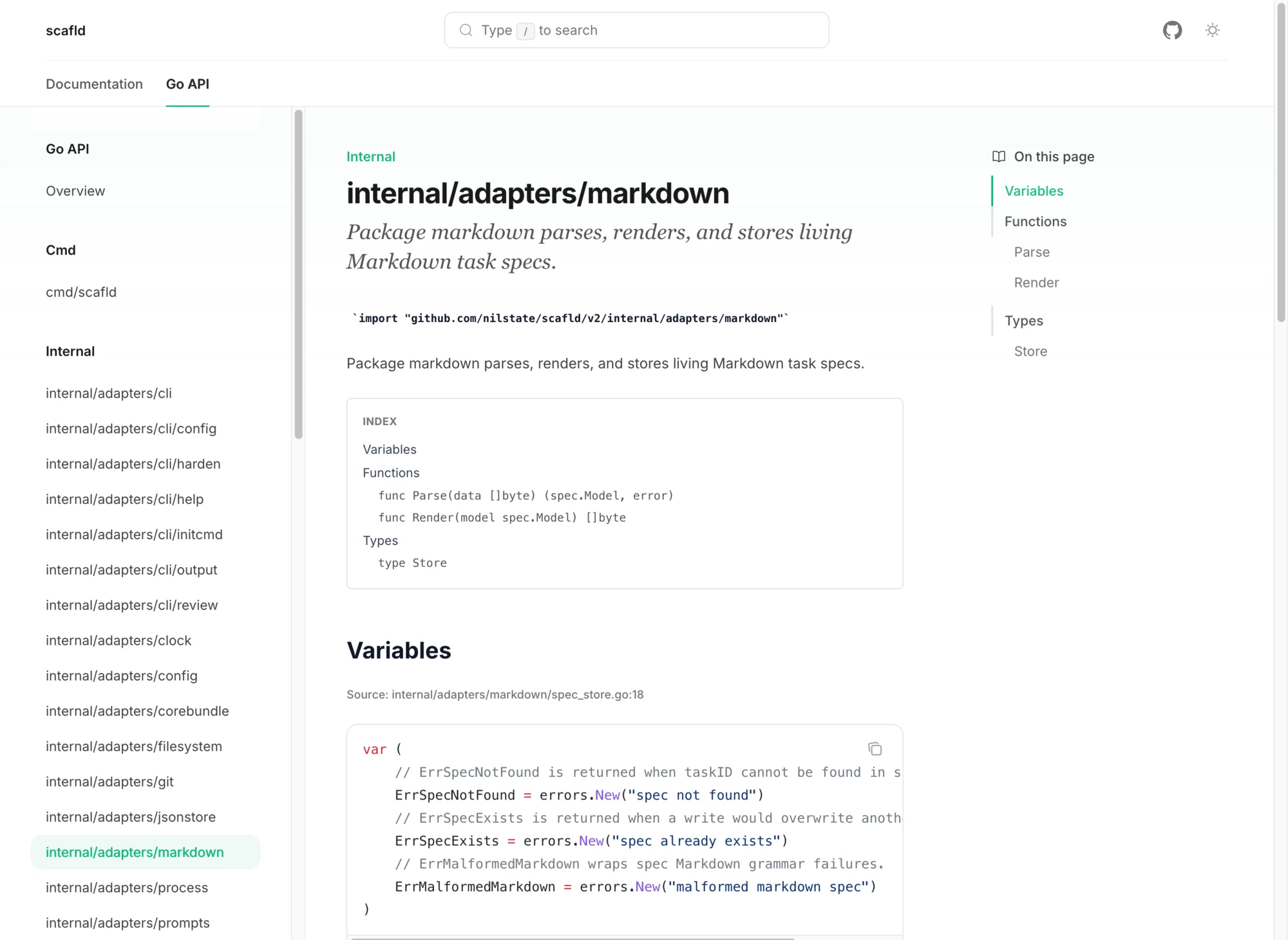
Scafld uses its existing Go comments and test examples for a project-owned API reference. Its Sourcey config selects the command and internal core, application, adapter, and platform packages. That is a useful choice for a tool whose contributors need to understand how the command reaches the implementation. The reference sits beside the rest of the project’s docs; documenting those internals does not promise them as a public Go library.
The visual change matters, too. The package reference belongs to the same site as the guides, with the same typography and navigation. Someone can move from the explanation to a symbol and back without feeling as though they have left the project.
Decide where extraction runs
Sourcey’s live Go input uses the Go toolchain to inspect the module. It also supports a generated JSON snapshot, which can be rendered on a docs host without Go installed. Those are different build arrangements, and the choice should be explicit.
With live extraction, install the required Go toolchain and module dependencies in CI. With a snapshot, generate it from the release source and update it when that source changes. A snapshot is another release artifact to keep current; it does not somehow stay in sync with the code by itself. Sourcey’s configuration reference covers the Go source options.
Keep the pkg.go.dev entry for discovery and package lookup. On your own site, make the first working example easy to find, link it to the relevant symbols, and say which release the instructions describe.