
Good-looking docs without building a React site.
Sourcey vs Docusaurus
Docusaurus gives you a React-based documentation site you can extend. Sourcey gives you designed layouts and reference adapters for the sources you already have. Choose how much of the site you want to build yourself.
A technical spec can look this good.
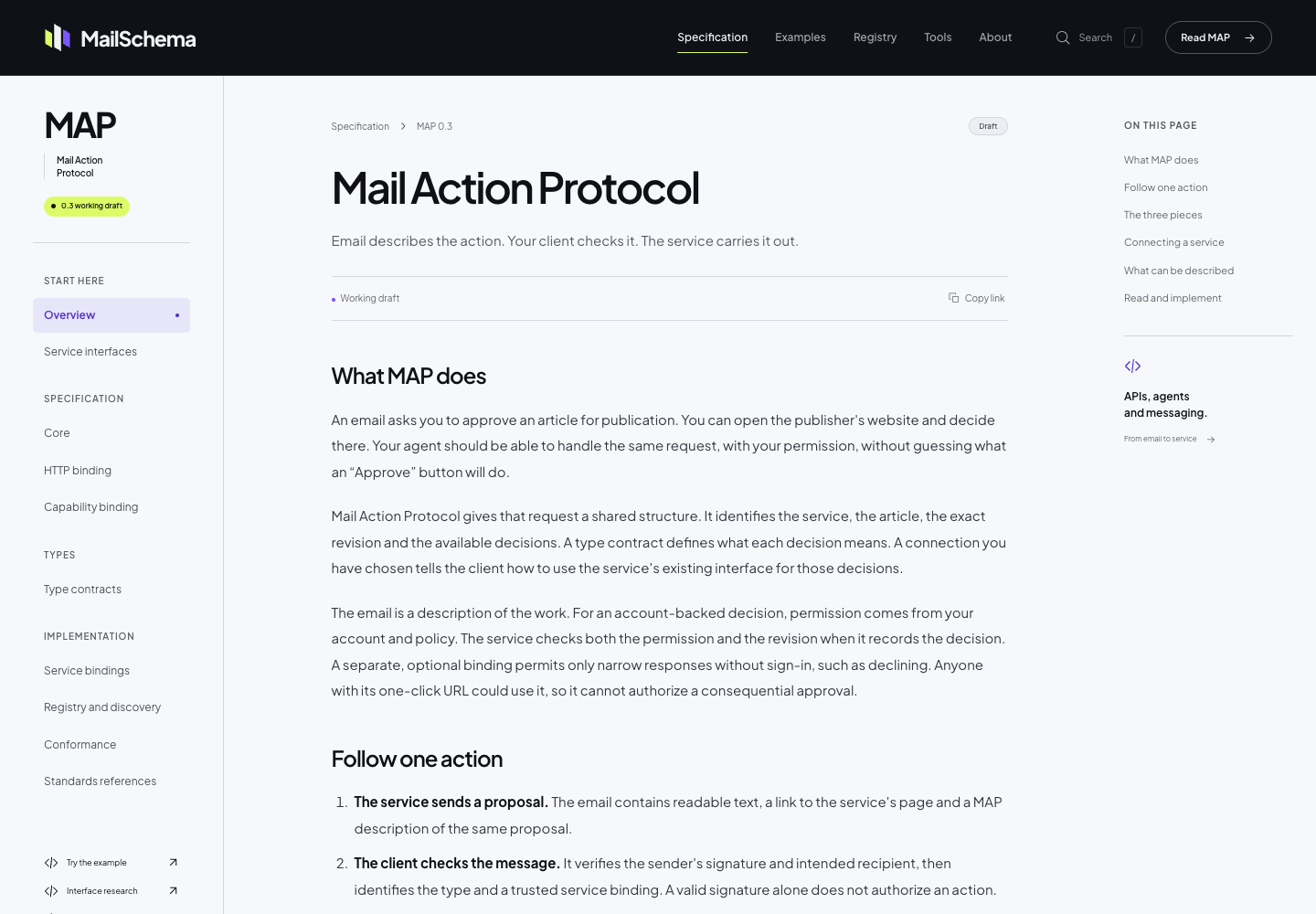
The MailSchema specification uses Sourcey’s reader theme through its Astro integration. Project fonts, colour, and CSS give the document its own identity; the chapter layout comes from Sourcey.
Both produce static sites you can host.
Docusaurus renders HTML at build time, then hydrates it with React. Sourcey renders its documentation at build time and uses browser scripts for features such as search and navigation. Neither needs an application server just to serve the output.
| Feature | Docusaurus | sourcey |
|---|---|---|
| Authoring | Markdown / MDX | Markdown / supported components |
| Custom React components | Supported | Not an arbitrary React runtime |
| OpenAPI reference | Plugins available | Built-in adapter |
| Doxygen / Go / Rust reference | Additional tooling | Built-in adapters |
| Docs versioning | Built-in workflow | Built-in versions and content roots |
| Internationalization | Built-in workflow | Built-in routing and UI support |
| Visual customisation | Themes and React | Themes and CSS |
| Hosting | Your static host | Your static host |
What does your site need beyond Markdown?
- 01
Docusaurus really is a static site generator
Its build emits HTML and assets that you can deploy to a CDN. React hydrates the page in the browser. Sourcey has a different rendering approach, but that alone does not establish a performance win. Test your pages, images, scripts, and search on the devices your readers use.
- 02
Generated reference changes the maintenance job
Docusaurus has an OpenAPI plugin that generates MDX, with a companion theme and a published compatibility matrix. That may already meet your needs. Sourcey reads OpenAPI directly and also has Doxygen, Go, Rust, and MCP adapters. The useful comparison is how many generation and rendering pieces your project needs to keep working together.
- 03
A theme should do some of the design work
Sourcey gives you a finished reading layout to start from. MailSchema’s specification uses the reader theme with project fonts, colours, and CSS. It shows the sort of site you can make without writing page components for every chapter. Bring a dense page from your own docs into the trial and see whether the layout holds up.
- 04
Versioning may be a reason to stay
Docusaurus has a documented CLI workflow for preserving released documentation alongside current work. It also supports internationalization. Sourcey has built-in versions and language support, configured through content roots, routes, and locales rather than Docusaurus’s versioning CLI. If that CLI workflow is important to your site, price the replacement work before removing a system that already handles it.
Take an inventory before moving the prose.
The expensive part may be a custom component or release workflow rather than the number of Markdown files.
- 01
List the site’s moving parts
Inspect plugins, theme overrides, React components, sidebars, versions, and locales. Identify generated MDX so you can go back to its original spec rather than treating output as new handwritten source.
- 02
Port a page with real components
Use a page with imports, tabs, admonitions, and internal links. Sourcey supports documentation components, but custom React behaviour needs replacing or keeping elsewhere. Check any content generated by expressions or build plugins.
- 03
Build reference from its original source
For OpenAPI, point Sourcey at the spec rather than generated MDX. This config also includes two Markdown guides. Add other supported reference sources only where the project needs them.
import { defineConfig, markdown, openapi } from "sourcey"; export default defineConfig({ name: "My API", navigation: { tabs: [ { tab: "Guides", slug: "", source: markdown({ groups: [{ group: "Start here", pages: ["introduction", "quickstart"] }], }), }, { tab: "API", slug: "api", source: openapi("./openapi.yaml") }, ], }, }); - 04
Check the release and URL plan
Build the trial and review old links, version-specific pages, translated content, search, and mobile reading. Preserve a working route to older documentation before changing the primary site.
Common questions.
Why choose Sourcey if Docusaurus is already free and self-hosted?
For the combination of designed documentation layouts and built-in reference adapters. If your current Docusaurus site already looks right and its plugins cover the reference you need, ownership alone is not a reason to migrate.
Can I reuse custom MDX and React components?
Treat them as a separate migration item. Plain Markdown is much easier to move than arbitrary component imports, expressions, or client behaviour. Try the most important custom component before estimating the whole conversion.
Does Sourcey replace Docusaurus versioning and i18n?
Sourcey supports versions and i18n, including content roots, routes, language links, and fallback rules. Its configuration differs from Docusaurus’s versioning CLI. Staying with Docusaurus can be the better choice when a large set of versions or translations is already maintained there.