
Beautiful docs, built in your repo.
Sourcey vs Mintlify
Mintlify makes good-looking docs easy to publish. Sourcey is for teams that want that care in the presentation and a build they can run themselves, using their existing specs, code comments, and guides.
A technical spec can look this good.
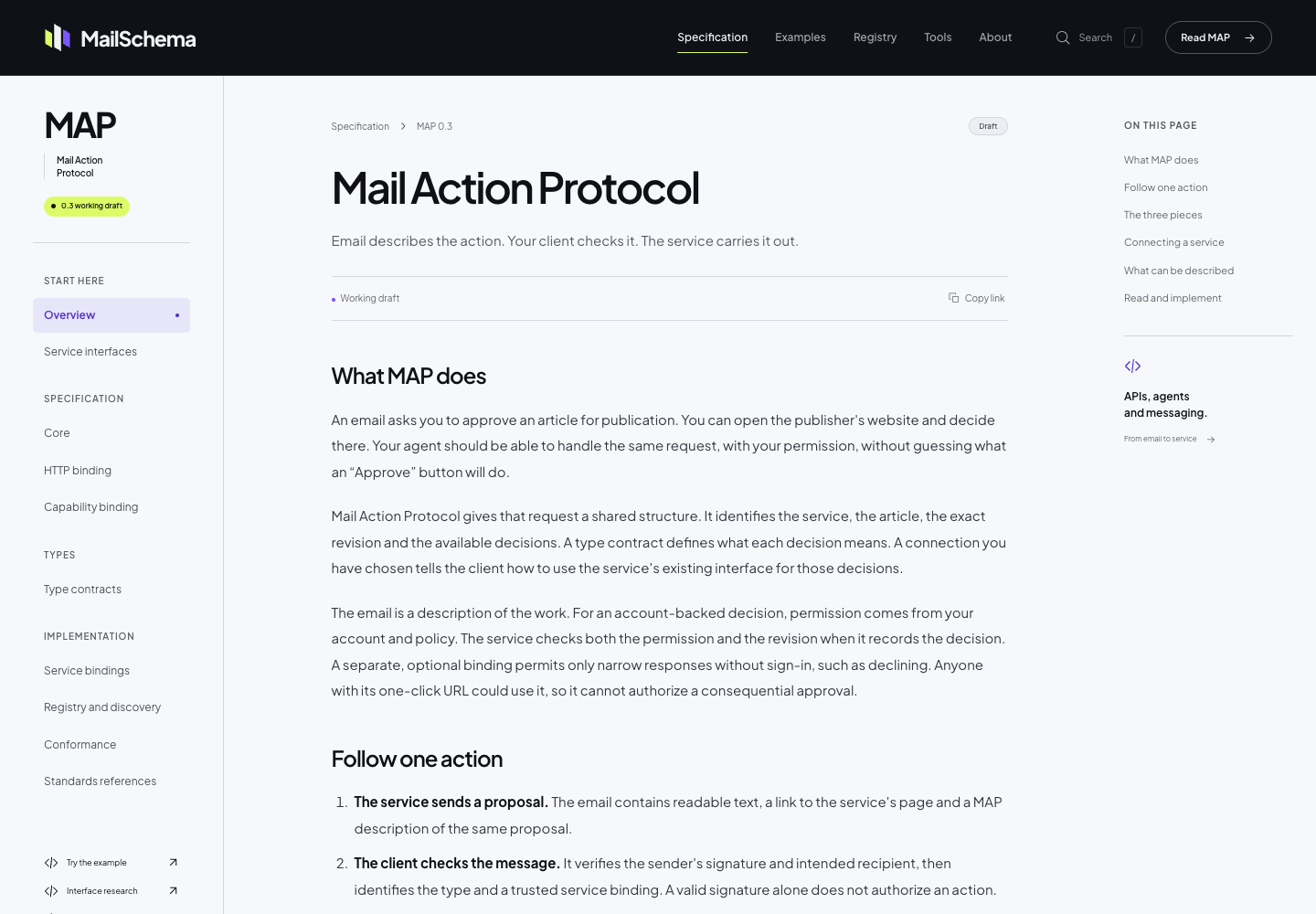
The MailSchema specification uses Sourcey’s reader theme through its Astro integration. Project fonts, colour, and CSS give the document its own identity; the chapter layout comes from Sourcey.
The site and the service are separate choices.
Mintlify provides a managed publishing platform. Sourcey provides the renderer, themes, and source adapters; your team chooses the hosting and review workflow.
| Feature | Mintlify | sourcey |
|---|---|---|
| Page design | Themes and components | Themes and components |
| OpenAPI reference | Built-in | Built-in |
| Editing | Web editor and Git | Files and pull requests |
| Publishing | Managed; Enterprise self-hosting | Local or CI build |
| Static export | Enterprise access | Standard build output |
| API request playground | Built-in | Built-in Try it |
| Doxygen, Go, Rust inputs | Separate generation workflow | Built-in adapters |
| Software cost | Free and paid plans | Free; AGPL-3.0 |
What you are choosing.
- 01
Keep a high bar for the page
Self-hosting is a poor trade if the docs end up looking like an afterthought. Sourcey’s themes cover typography, navigation, code blocks, and reference layouts. MailSchema shows the reader theme on a real specification, with its own fonts and branding. Try a long guide and a complicated API operation; the homepage alone will not tell you whether the design works for your content.
- 02
Choose how the team will edit
Mintlify supports both a web editor and a Git workflow. Sourcey keeps authoring in project files and review in the tools you already use. That suits a team whose API and docs change in the same pull request. If support staff and technical writers depend on browser editing, include their workflow in the decision before removing it.
- 03
Be precise about self-hosting
Mintlify offers self-hosting and static export through Enterprise arrangements. Sourcey’s normal build produces files you deploy yourself. The useful distinction is what you need to install, buy, and operate to get that result. Sourcey does not supply Mintlify’s hosted assistant or editorial dashboard as part of the static site.
- 04
Compare the whole bill
Mintlify has a free Starter plan, so this is not simply a choice between paying and not paying. Price the features your team uses, then include the build, hosting, and maintenance work you would own with Sourcey. A team already publishing static sites may find that a small addition; a team buying a complete editorial service may not.
Move the difficult page first.
Choose a guide with tabs, snippets, images, and links into the API. It will tell you more about the migration than a plain introduction.
- 01
Collect the source and URLs
Keep the Markdown or MDX, docs.json, OpenAPI files, shared snippets, and assets. List public paths and operation links. Check whether images live in the repo or still depend on an upload service.
- 02
Map the components
Sourcey supports built-in documentation components and directives. It is not an arbitrary React runtime. Try each component your guide uses, replace unsupported interactions deliberately, and check that examples remain readable when copied out of a tab.
- 03
Build the reference beside the guides
This config expects introduction.md, quickstart.md, and openapi.yaml alongside it. Keep your real spec in its existing location and adjust the path. Continue running the API validation you already use.
import { defineConfig, markdown, openapi } from "sourcey"; export default defineConfig({ name: "My API", navigation: { tabs: [ { tab: "Guides", slug: "", source: markdown({ groups: [{ group: "Start here", pages: ["introduction", "quickstart"] }], }), }, { tab: "API", slug: "api", source: openapi("./openapi.yaml") }, ], }, }); - 04
Compare a working preview
Run the build, then check navigation, search, mobile layouts, old URLs, and the text exports. Decide where any assistant or authentication service will live, and test Sourcey’s built-in Try it console before changing DNS.
npx sourcey build
Common questions.
Can I keep Mintlify’s MDX files?
Keep them as migration inputs. Plain prose and code blocks are usually straightforward; Mintlify components, imports, snippets, and React behaviour need checking. Matching file extensions do not make two renderers interchangeable.
Can Sourcey make docs that look as polished as a hosted platform?
That is a central reason to use it. Open MailSchema for the reader layout and Cheesestore for API reference, then build a page with your own content. Sourcey provides the layout and components, while your logo, fonts, colours, and CSS can give the site its own identity.
Does Sourcey include a hosted MCP search server?
The docs engine renders an MCP manifest into reference pages and generates text exports from the documentation. That is different from running a hosted MCP search service. Keep that distinction in your migration plan if your team relies on Mintlify’s search MCP.