
Sourcey vs ReadMe
Give your API docs the attention the API gets.
Sourcey makes a good-looking reference and guides from the files you maintain. ReadMe also gives you a developer hub with personalized examples and API usage tools. Decide which parts your users actually rely on.
Give people a docs link you’re proud to send.
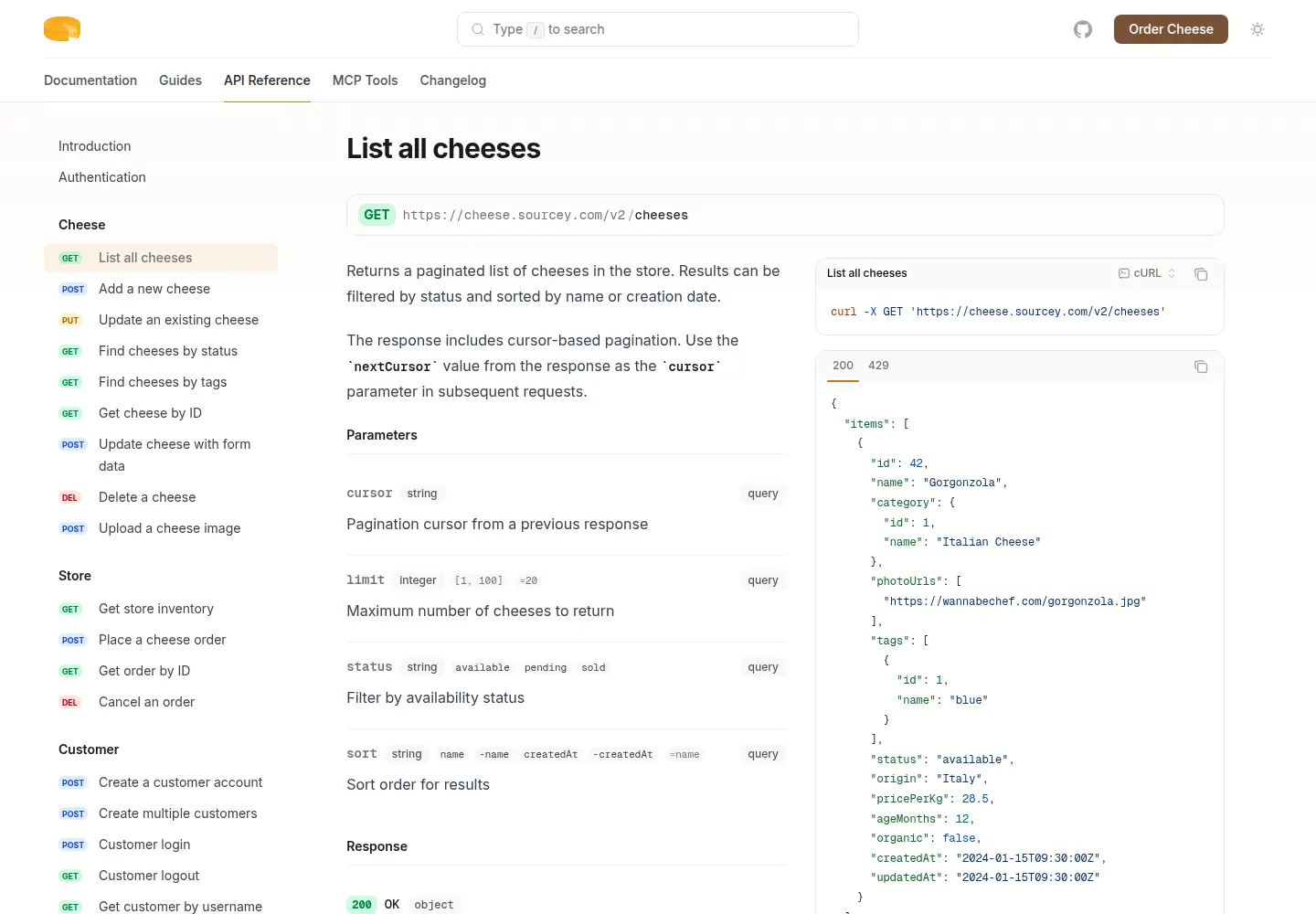
Cheesestore puts an OpenAPI reference beside guides and an MCP manifest in one Sourcey build. The cheese service is fictional; this is the actual generated site.
A docs site and a developer hub do different work.
Compare the published reference first, then account for the account data and interactive services that sit around it.
| Feature | ReadMe | sourcey |
|---|---|---|
| OpenAPI reference | Built-in | Built-in |
| Guides and page design | Editor and customisation | Markdown and themes |
| Personalized API keys | Supported | Not built in |
| API request logs and metrics | Supported | Not built in |
| Interactive request console | Built-in | Use a separate console |
| Content export | GitHub, ZIP, API | Source files already local |
| Publishing | Managed developer hub | Static files you deploy |
| Software cost | Free and paid plans | Free; AGPL-3.0 |
Separate the pages from the account features.
- 01
The first request may depend on personalization
ReadMe can insert a signed-in developer’s own values into examples and the API console. That can remove a genuine onboarding step. Sourcey generates the same public reference for every reader. If personalization is doing useful work, retain it elsewhere or give people a clear way to obtain and supply their credentials.
- 02
Request logs are another service to account for
ReadMe’s API Metrics can show request volume, endpoint use, and errors, and its hub can expose request history to users. Sourcey’s docs engine does not collect those logs. Before moving, check whether support or customers use that history to debug integrations. Ordinary website analytics would not replace it.
- 03
A strong reference can stand on its own
If your account portal already handles keys and logs, the public docs may need a simpler job: explain the API clearly and look good doing it. Sourcey puts operation details, schemas, examples, and guides in one site. Cheesestore lets you judge the result on an actual build, including the pages beyond the landing screen.
- 04
Check the export’s assets
ReadMe documents ZIP, GitHub, and API export paths. Its ZIP export includes OpenAPI files but does not include image files, although their paths remain available. That is exactly the sort of detail to catch before a move. Download the assets you need and verify that the new site can serve them independently.
Move the reference without losing the onboarding.
Use a preview site to separate what the static docs can replace from the account features you need to keep.
- 01
Inventory the user journey
List the guides, API versions, custom pages, recipes, images, and examples. Mark any step that depends on a signed-in account, a personalized key, a request console, or request history.
- 02
Export the content and collect assets
Use the export route appropriate to your project. Check images separately and keep a copy of the published URL list. Preserve the original files while translating components, so unsupported blocks do not disappear unnoticed.
- 03
Build against the same OpenAPI source
Keep the API’s canonical spec and validation. This config expects two Markdown guides beside the spec; adapt the paths to your export and compare one operation with nested schemas and several responses.
import { defineConfig, markdown, openapi } from "sourcey"; export default defineConfig({ name: "My API", navigation: { tabs: [ { tab: "Guides", slug: "", source: markdown({ groups: [{ group: "Start here", pages: ["introduction", "quickstart"] }], }), }, { tab: "API", slug: "api", source: openapi("./openapi.yaml") }, ], }, }); - 04
Try the first request as a new user
Follow the guide without the personalized data ReadMe used to supply. Check how the user gets a key, chooses an environment, sends the request, and finds an error. Only switch the public docs once that journey still works.
Common questions.
Is Sourcey a drop-in replacement for ReadMe?
It can replace the generated reference and guides when a static site meets the project’s needs. Personalized sessions, API metrics, request history, and an interactive console need a separate decision. Exporting content does not reproduce those services.
Can we keep ReadMe and use Sourcey for public documentation?
Yes, if the division is clear. For example, publish the public reference with Sourcey and keep account-specific tools in the existing hub. Use the same maintained OpenAPI source and link between the two so users know where to get keys or inspect requests.
Does Sourcey make the API examples correct?
It renders the inputs and generates samples. The API team still needs to test examples against the documented release, including authentication and error cases. A successful docs build does not prove a request succeeds.