
Sourcey vs Swagger UI
Put the explanation beside the endpoint.
Swagger UI is useful when someone wants to inspect an API and send a request. Sourcey gives the reference a designed home alongside setup guides, examples, and the details people need before that first request.
Give people a docs link you’re proud to send.
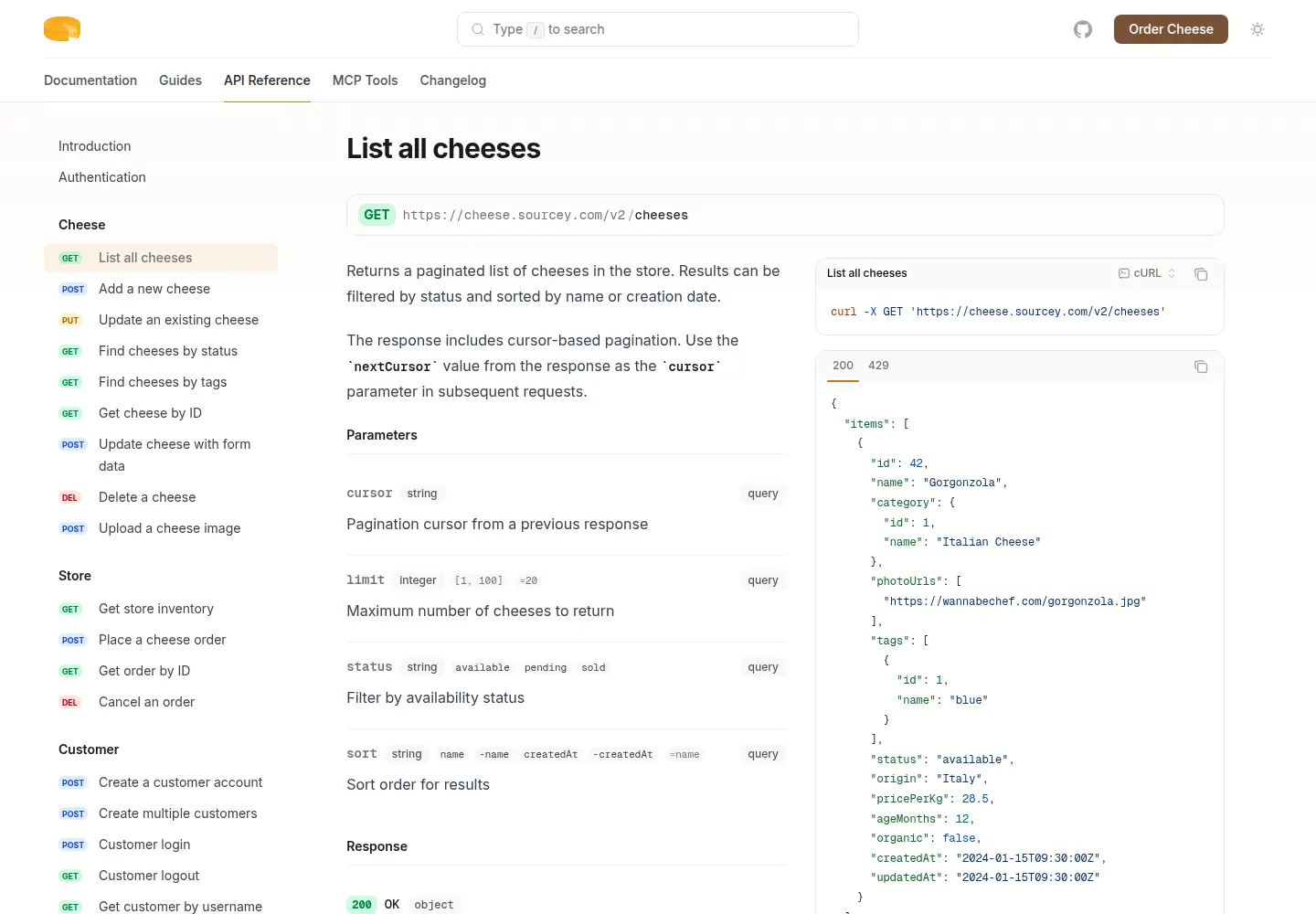
Cheesestore puts an OpenAPI reference beside guides and an MCP manifest in one Sourcey build. The cheese service is fictional; this is the actual generated site.
Reading the API and trying it are separate jobs.
Both can use the same OpenAPI file and both can be hosted on your infrastructure. The main differences are the reading layout, surrounding content, and request console.
| Feature | Swagger UI | sourcey |
|---|---|---|
| OpenAPI reference | Built-in | Built-in |
| Try-it-out requests | Built-in | Use a separate console |
| Reference rendering | In the browser | At build time |
| Deployable files | Static assets and spec | Rendered HTML and assets |
| Guides and navigation | Add a surrounding site | Same build as reference |
| Page design | API explorer layout | Docs themes and CSS |
| Search | Operation filtering | Site-wide search index |
| Hosting | Your host | Your host |
Choose the page for the reader’s task.
- 01
The console is worth keeping
Swagger UI lets readers authorize and send requests. That is useful for exploring responses and testing an integration. Sourcey does not include an equivalent request runner. If users depend on it, keep Swagger UI available and link to it from the docs, with both builds reading the same maintained spec.
- 02
An endpoint list leaves some questions unanswered
A new user may need to know how to get credentials, which environment to use, how pagination works, and whether a timed-out write can be retried. Those explanations belong in guides linked to the reference. Sourcey builds both together, so the setup instructions and generated operations can share navigation and search.
- 03
Make the reference pleasant to read
Sourcey’s appeal is visible in the output: the way a signature sits beside its explanation, the spacing around examples, and the route from an operation into a schema. Cheesestore is a real build to explore. Try reading the same complicated operation in both tools; a generic feature checklist will not make that choice for you.
- 04
Browser requests have browser constraints
Swagger UI’s request console is subject to CORS when the API is on another origin. The API needs to allow the relevant origins, methods, and headers. A request working in a terminal does not prove it will work in that console. Keep the API’s CORS configuration in the investigation when a browser request fails.
Build a reading site from the same spec.
You can evaluate Sourcey without removing the existing Swagger UI console.
- 01
Use the maintained OpenAPI file
Take the same spec the current UI uses, including any build or bundling step. Keep its validation. Review servers, security requirements, examples, and external references so the new site describes the intended environment.
- 02
Add the missing explanation
Create introduction.md and quickstart.md, then put them beside the reference. The example below assumes all three source files sit next to the configuration.
import { defineConfig, markdown, openapi } from "sourcey"; export default defineConfig({ name: "My API", navigation: { tabs: [ { tab: "Guides", slug: "", source: markdown({ groups: [{ group: "Start here", pages: ["introduction", "quickstart"] }], }), }, { tab: "API", slug: "api", source: openapi("./openapi.yaml") }, ], }, }); - 03
Link the console where it helps
If try-it-out is part of onboarding, retain a clearly named link to Swagger UI. Tell readers which environment it calls. Avoid a second hand-maintained spec that slowly diverges from the public reference.
- 04
Check direct visits and examples
Inspect the built HTML, open individual operation links, follow schema references, and read a guide on mobile. Run a documented request against the intended environment. A readable reference and a working request are separate checks.
Common questions.
Can Swagger UI be hosted as static files?
Yes. Its assets can be served by a static host, with the reference rendered in the browser. Sourcey renders the reference HTML during the build. Static hosting and build-time rendering describe different parts of the system.
Does Sourcey have a try-it-out button?
Sourcey generates documentation and request samples, rather than providing Swagger UI’s interactive request runner. Keep the console alongside it when live requests are useful to your users.
Will static HTML guarantee better SEO or AI answers?
No. It makes the published text available without running the reference renderer in a browser. Search and answer quality still depend on the content, crawlability, links, and the retrieval system. Check the rendered text and the questions it can actually answer.