
Sourcey vs Sphinx
A shorter route from Doxygen XML to a good-looking site.
Sourcey reads Doxygen XML directly and puts the reference beside Markdown guides. That can simplify a C++ docs build. Sphinx still has reasons to stay, especially Python autodoc, document cross-references, and multiple output formats.
The same C++ comments. A better-looking place to read them.
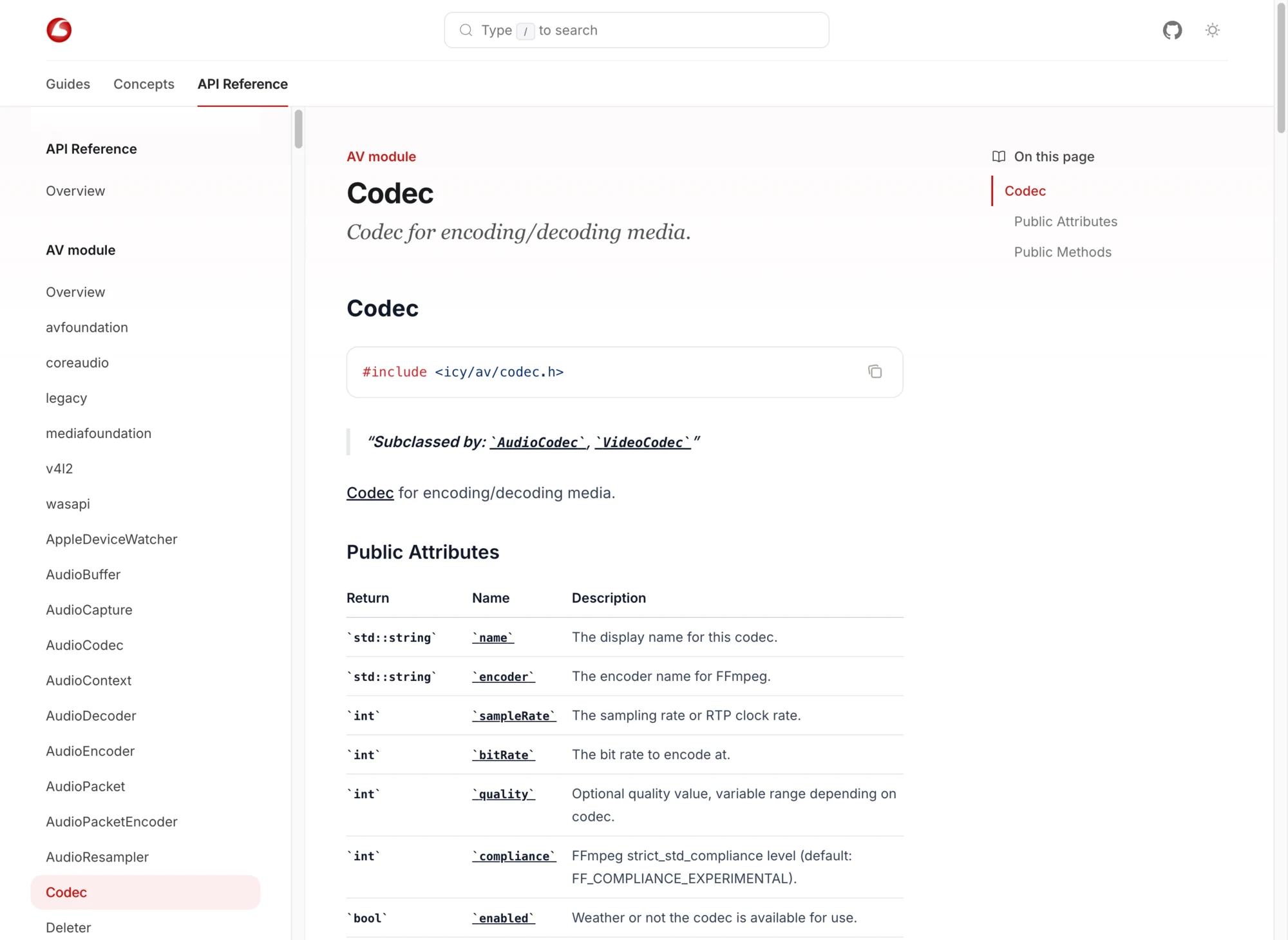
Icey keeps Doxygen for extraction and uses Sourcey to present the XML alongside its guides. Classes, signatures, and examples belong to the same site.
Compare the build you actually run.
A Sphinx project with a few pages is different from one built around domains, extensions, and PDF output. Count those responsibilities before removing the tool that owns them.
| Feature | Sphinx | sourcey |
|---|---|---|
| Authoring | reStructuredText; MyST Markdown | Markdown and components |
| Doxygen XML | Breathe extension | Built-in adapter |
| Python autodoc | Sphinx extension | No equivalent built in |
| Cross-project symbol links | Intersphinx inventories | Explicit documentation links |
| Output formats | HTML, LaTeX, man, EPUB, more | Static HTML and text exports |
| Presentation | Theme and extension ecosystem | Sourcey themes and CSS |
| Build toolchain | Python; optional extractors | Sourcey; required extractors |
| Hosting | Your static host or a service | Your static host |
What is Sphinx doing for this project?
- 01
For C++, inspect the XML route
Breathe brings Doxygen XML into Sphinx. A project may also use Exhale to generate the reference hierarchy. Sourcey can read the XML directly, which gives you another option if that reference and a set of guides are the whole job. Keep Doxygen in either case and compare the difficult symbols before removing any stage.
- 02
Markdown is already an option in Sphinx
Sphinx supports Markdown through MyST-Parser. A desire to stop writing reStructuredText is not, on its own, a reason to replace the whole site. The migration question is whether your pages depend on Sphinx roles, directives, domains, or extensions that ordinary Markdown will not preserve.
- 03
Keep the features the manual depends on
Python autodoc and Intersphinx are substantial capabilities. So are the builders for formats such as LaTeX and manual pages. Sourcey does not supply equivalent replacements for those workflows. If they are central to your documentation, try improving the Sphinx theme or navigation before planning a renderer migration.
- 04
Use the design as part of the test
Sourcey gives generated reference a deliberate visual treatment, with guides sharing the same site. Icey shows the C++ result. Compare a dense page, a small screen, and the route from a guide into a type. Sourcey’s Vite-based preview is useful while editing, but any build-time comparison should include Doxygen extraction and use your actual project.
Audit the extensions before converting the files.
Do a bounded trial on one section. Converting prose is only part of moving a Sphinx project.
- 01
Read conf.py and the build commands
List extensions, builders, generated sources, external inventories, and theme overrides. Mark any required capability without a replacement. A Python manual built around autodoc is a poor candidate for a blind Markdown conversion.
- 02
Try the reference separately
For C++, keep the Doxyfile and point Sourcey at its XML. This example assumes the output is in build/doxygen/xml. Compare the same symbols in both sites before moving the surrounding manual.
import { defineConfig, doxygen } from "sourcey"; export default defineConfig({ name: "My C++ library", navigation: { tabs: [{ tab: "C++ API", slug: "cpp", source: doxygen({ xml: "./build/doxygen/xml" }), }], }, }); - 03
Convert a representative guide
Preserve admonitions, code includes, semantic cross-references, tables, and links. A converter can help with syntax, but it cannot decide what a custom directive meant. Review MyST roles as carefully as reStructuredText roles.
- 04
Check the published outputs people use
Follow links from guides into the API, test search and old anchors, and confirm whether PDF or man-page consumers still need the Sphinx build. Keep that output where it remains useful rather than pretending the migration covers it.
Common questions.
Does Sourcey support Sphinx autodoc?
Sourcey has its own inputs for OpenAPI, Doxygen XML, Go, Rust, MCP manifests, and Markdown. It is not a Sphinx extension host and does not run Python autodoc. Keep Sphinx when that capability is central to the project.
Can I move MyST Markdown without changes?
Some prose and code blocks will be straightforward. MyST can also contain roles, directives, and cross-references interpreted by Sphinx. Audit those constructs and compare their meaning in the rendered output before calling the conversion complete.
Is Sourcey faster than Sphinx?
There is no useful universal number. Measure clean builds and edit-preview cycles on the same input, including extraction and plugins. Choose the tool that covers your required outputs with a build your team can maintain.